Search for billing software for a shop and you'll find everything from free phone apps to accounting suites priced for a company with an office. Most of it was built for someone else. A kirana, grocery or general store needs a fast counter, stock that follows the bills, and a clean end to the day. This guide explains what to look for, what to skip, and where the tax rules come in.
Billing software, POS, accounting and e-billing: what's the difference?
The names get mixed up, so it helps to separate them:
- Billing software makes the bill: items, prices, discounts, the total and how it was paid.
- POS (point of sale) is billing at the counter, usually with stock, cash and receipts attached. For a shop, good billing software is a POS.
- Accounting software keeps the books: ledgers, balance sheets, tax returns. Your accountant cares about it more than your counter does.
- Tax e-billing sends invoices to the tax authority as they're issued, where the law requires it (more on this below).
A small shop needs the first two every day. The last two depend on your size, and on your country.
What grocery billing software needs at the counter
The test of billing software is a busy evening with a queue. Look for:
- Speed: scan a barcode or type three letters to find an item, and change quantities with one tap.
- Units that match your shop: a single packet, a carton, half a kilo of sugar.
- Discounts on a line or the whole bill, and the option to give an item free.
- Every way of paying: cash, card, bank transfer and the wallets and QR payments your customers use (eSewa, Khalti and Fonepay in Nepal; UPI in India).
- Split payments: part cash, part wallet, the rest on credit.
- Credit (udhar, udharo): a bill that goes straight onto the customer's account.
- Returns and voids that put the stock and the money back exactly.
- A receipt the customer can take, on paper or on their phone.
Barcode billing with a phone camera
Barcode billing software used to mean a scanner on a cable. Today a phone camera reads standard product barcodes well enough for a small shop: point it at the packet and the item is on the bill. For goods without a barcode (loose sugar, local bread, home-made pickles), give each a short code of your own and find it by typing its name. You can add a hardware scanner later only if your software supports one.
What happens behind the counter
The bill is only the start. Good billing software also:
- Takes the items out of stock with every sale, so you always know what's on the shelf.
- Records purchases from suppliers, and what you owe them.
- Shows the day's money: cash in the drawer, wallets, card and credit given, so closing time takes minutes.
- Reports profit, not just sales, for any day, week or month.
Billing software that doesn't touch stock leaves you keeping a second record by hand, which is exactly what you were trying to stop doing.
Phone app or computer software?
Desktop billing software suits a counter with a computer, a receipt printer and a cash drawer. A billing app on a phone suits most small shops better:
- Nothing to buy beyond the phone you have.
- It works through power cuts on battery.
- Staff can bill on their own phones, and the owner can check sales from anywhere.
Check whether the app works offline. A billing app that stops when the internet drops will stop your counter too. A good phone app also grows with the shop: in BSMM you can start alone at the counter, then add staff phones and more shops to the same account.
Where the tax rules come in
Billing software and tax invoices aren't the same thing, and the rules depend on your country and turnover:
- Nepal: larger businesses must issue bills through software registered with the Inland Revenue Department and connected to its Central Billing Monitoring System. News reports from April 2026 put the threshold at an annual turnover of Rs 200 million. Smaller VAT- or PAN-registered shops still issue VAT or PAN bills; see do you need IRD-approved billing software?
- India: GST-registered businesses must issue GST invoices with the required details, and e-invoicing applies to businesses with a turnover above ₹5 crore a year (since August 2023).
- Elsewhere: VAT and sales tax rules vary by country and region.
If you must issue a VAT, PAN or GST bill for every sale, an app that can't issue them means billing twice. Ask your accountant what your bills must contain before you choose.
A checklist before you choose
- Can I bill a customer with five items in under a minute?
- Does stock go down by itself with every bill?
- Does it record the payments my customers actually use, and credit?
- Does it work without the internet?
- Can my staff use it on their own phones?
- What does it cost in a year, including the features I'll need later?
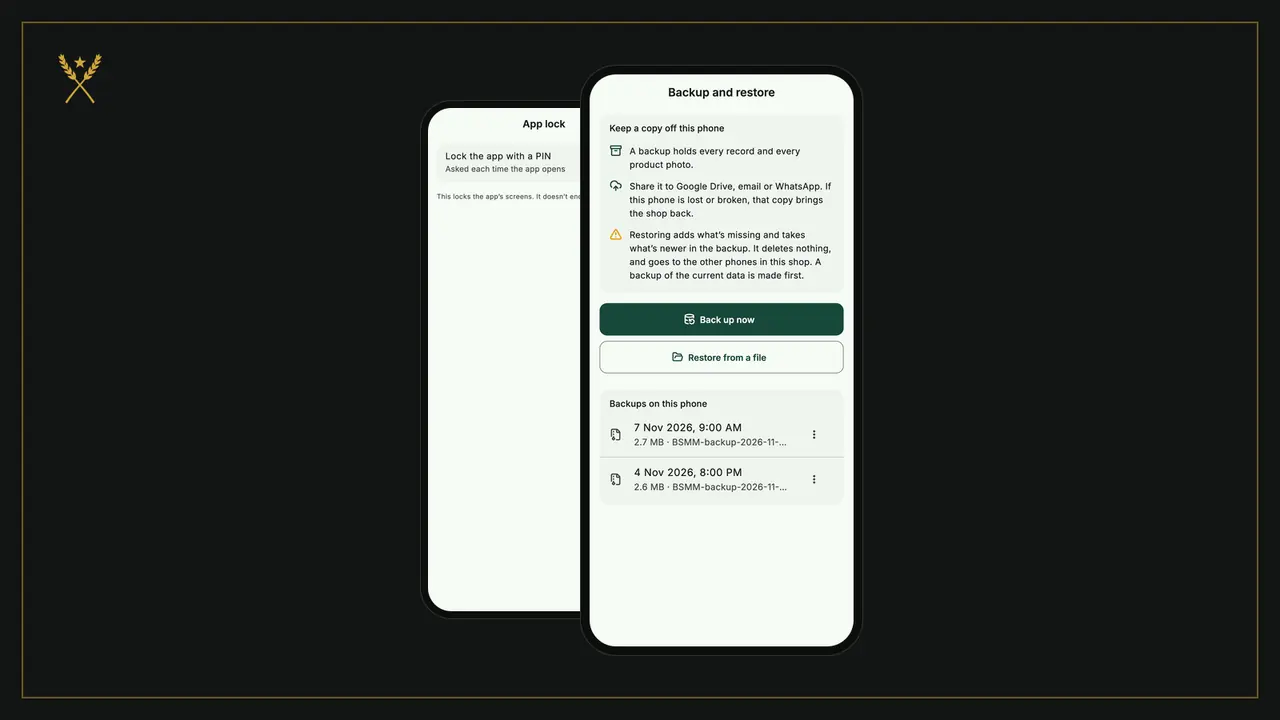
- Can I back up my data and take it with me?
- Does it meet my country's tax rules, if I need tax invoices?
BSMM: free billing for small shops
BSMM is a free billing, stock and credit app for small shops, made at a family grocery in Pokhara, Nepal, and used anywhere:
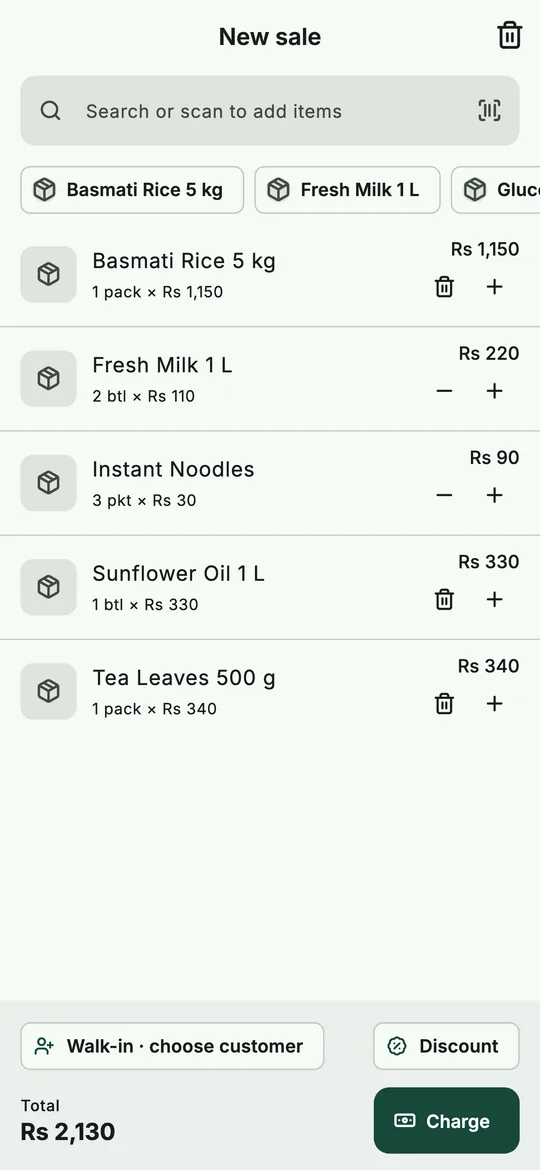 A bill in BSMM: scan or search, then charge by any way of paying.
- Search or scan a barcode to add items, charge any price, discount a line or the whole bill, or give an item free.
- Take cash, eSewa, Khalti, Fonepay, bank or card, split a bill, or put it on a customer's credit.
- Share a clean receipt with your customer.
- Stock updates with every sale, purchase and return; purchases record what you owe suppliers.
- Day-end summary of cash, wallets and credit, and profit reports for any period.
- Works offline, with your staff on their own phones.
It's free, with no paid plan and no ads. It isn't a tax billing system, so it suits shops that don't need to issue tax bills at the counter. It shares receipts digitally rather than printing them.
Questions shopkeepers ask
What is the best billing software for a small shop? The one your counter can use fastest that also keeps your stock. For most small shops that's a phone app with barcode scanning, offline use and credit built in. See inventory and billing apps compared.
Is there free billing software for shops? Yes. Some apps are free with limits or ads; BSMM is free with neither.
Do I need a computer for billing software? No. A smartphone handles billing, stock and reports for a small shop. A computer helps if you also do your accounts there.
Can billing software manage my udharo too? It should. A bill put on credit should go straight onto the customer's account. See how to manage udharo with a digital khata.