In a family shop, or one run by business partners, money passes through several hands. Your spouse takes the evening cash, a brother pays the supplier from his pocket, and at the end of the month nobody is sure who owes whom. BSMM has two features for this. Partners track who took the shop's money in and who paid it out. Organizations are side books for another business of yours, kept apart from the shop's money. This tutorial covers both.
If you run the shop alone, you can skip this one: until you add a partner, BSMM doesn't ask who took the money.
Part 1: Partners
1. Add a partner
- Go to More › Partners. You're already on the list as Owner.
- Tap Add partner, type their Name, and their Phone and a Note if you like.
- Tap Save.
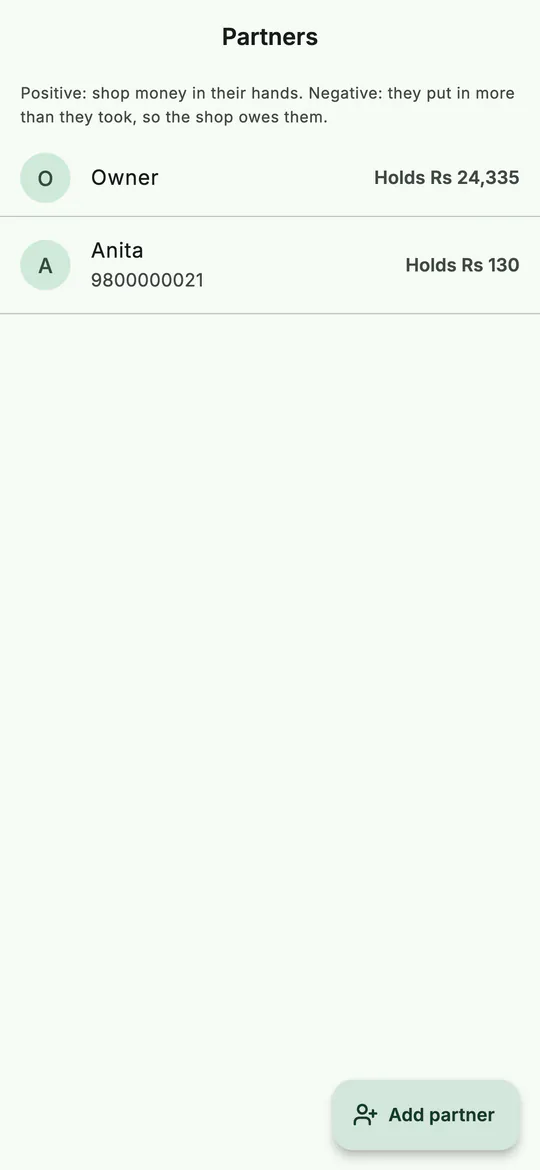 Each partner, and the shop's money in their hands.
A partner doesn't need to use the app. It's a name for whoever handles the shop's money.
2. Say who took or paid the money
Once you have a partner, a row of names appears wherever money moves:
- Money taken by when you complete a sale, collect a customer's payment or take an order's advance;
- Paid by when you record a stock in, pay a supplier or add an expense.
Owner is chosen to start with. Tap the right person before you save.
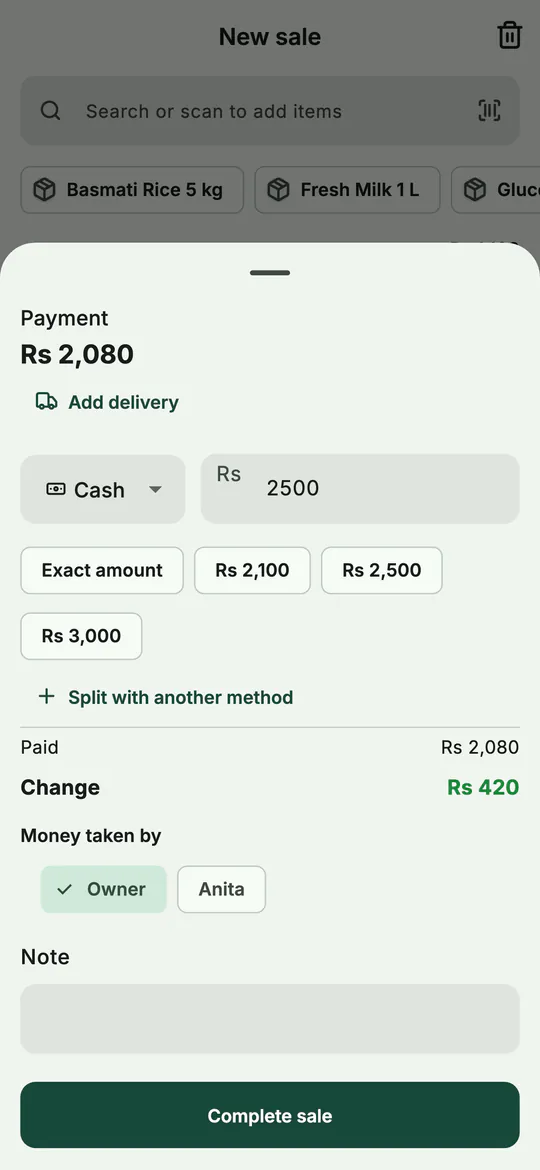 With a partner added, every payment asks who took the money.
3. See what each partner holds
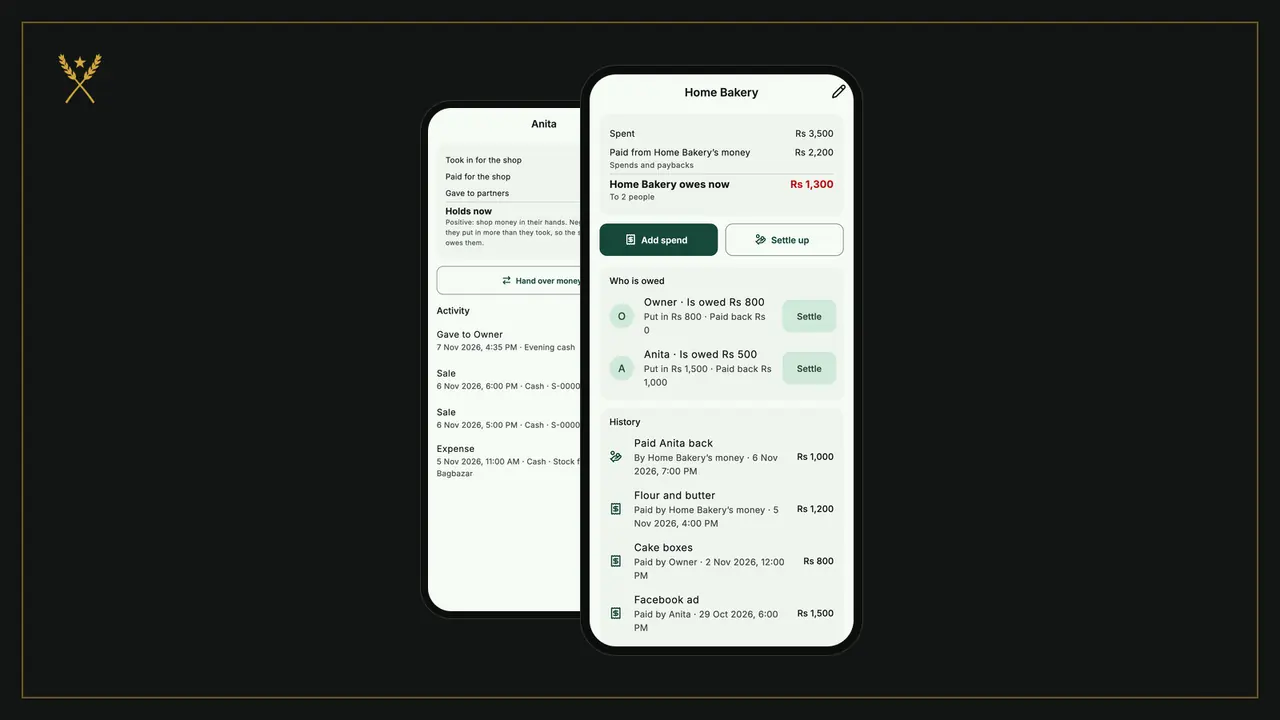
Tap a partner. Their page adds it all up:
- Took in for the shop: sales, dues collected and advances they took;
- Paid for the shop: stock, supplier payments and expenses they paid;
- Got from partners and Gave to partners: money handed between you;
- Holds now: the shop's money in their hands.
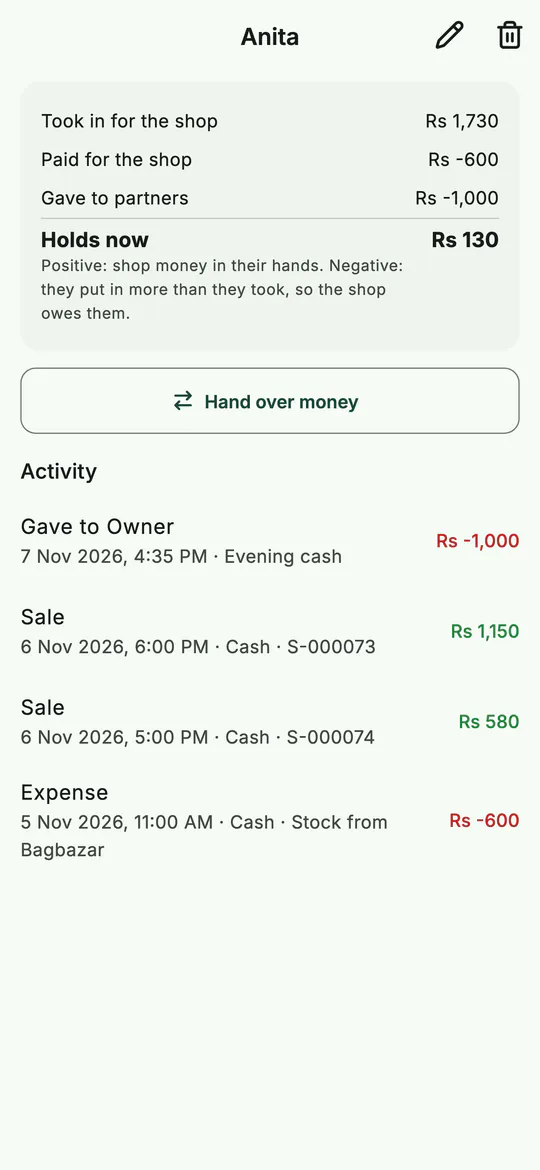 One partner: what they took, what they paid, and what they hold.
A positive amount is shop money they're holding. A negative one means they've put in more than they took, so the shop owes them.
4. Hand over money
When Anita gives you the evening's cash, record it so both balances stay right:
- Open her page and tap Hand over money.
- Choose who it went to, type the Amount, add a note, and save.
Her Holds now goes down and yours goes up. The Activity list keeps every hand-over, sale and payment that went through her hands.
Part 2: Organizations
An organization is a business of yours that isn't the shop: a home bakery, a tailoring order book, an online page. Its book records what it spent, whose money paid for it, and who it still owes. None of it touches the shop's money, expenses or profit.
5. Add an organization
- Go to More › Organizations and tap Add organization.
- Type its Name and a Note, and tap Save.
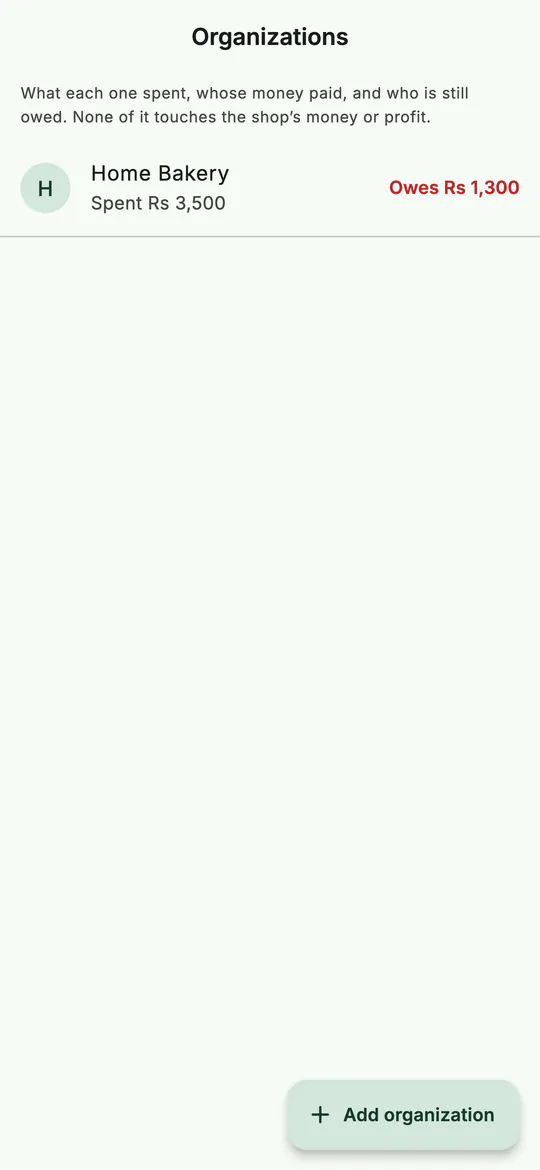 Side businesses, each with what it spent and what it owes.
6. Record what it spends
- Open the organization and tap Add spend.
- Type What for ("Facebook ad", "packaging") and the Amount.
- Under Whose money paid, choose the organization's own money, a person, or New person to add someone.
- Check When, add a Note, and look at the sentence at the bottom: BSMM tells you what will happen before you save, such as "Home Bakery will owe Owner Rs 1,450."
- Tap Save.
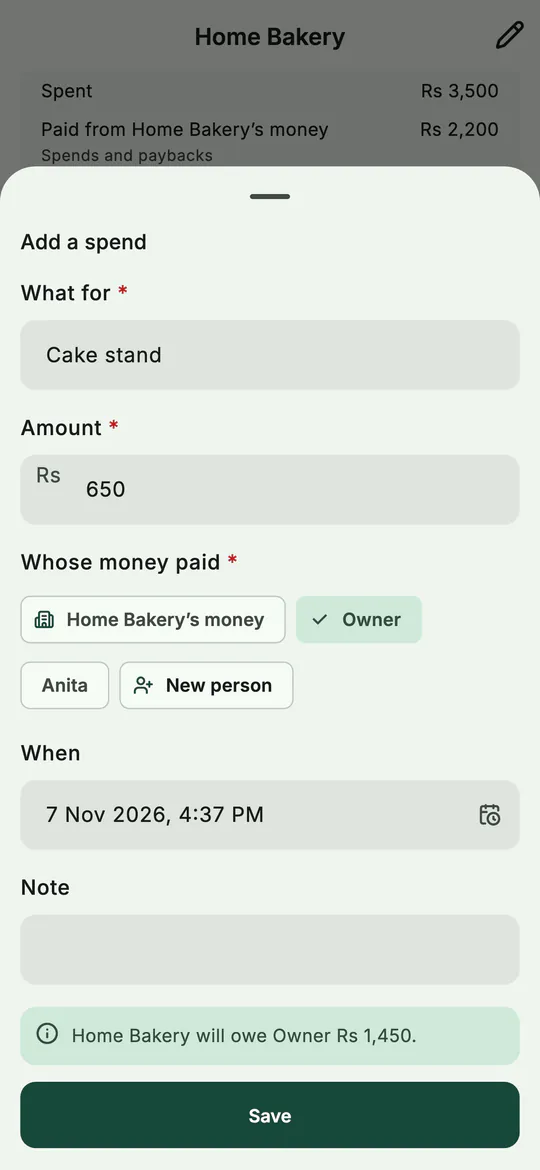 Before you save, BSMM says who will be owed what.
7. See who is owed, and settle up
The organization's page shows what it Spent, what it Paid from its own money, and what it owes now, to how many people. Under Who is owed, each person shows what they put in and what was paid back.
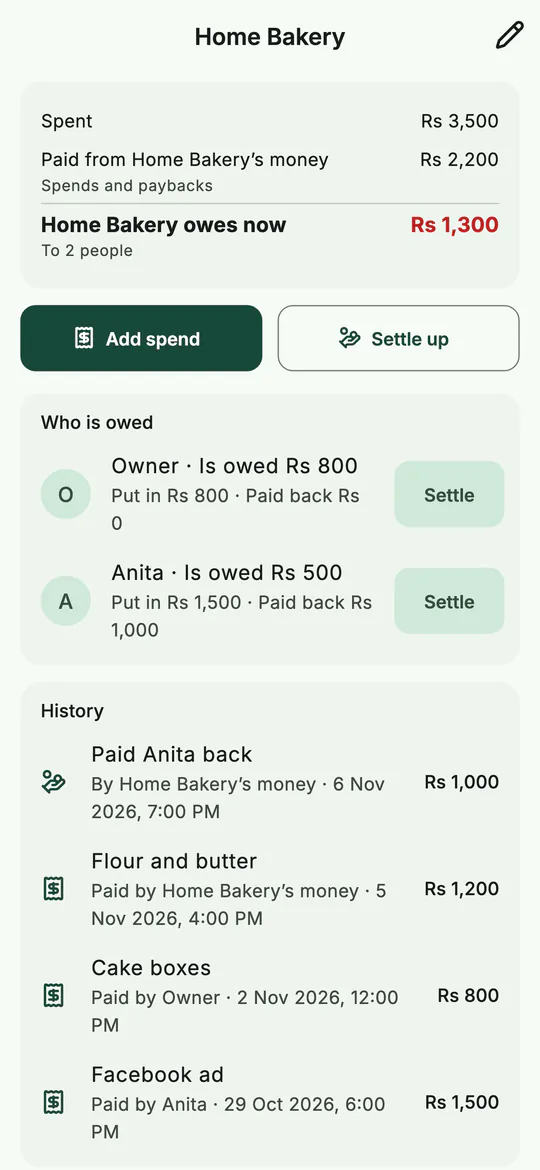 The organization's book: spent, owed, and every entry.
To pay someone back, tap Settle beside their name, or Settle up:
- Choose Who gets paid back. The amount starts at what they're owed.
- Choose Whose money pays: the organization's own, or a person's.
- Check the sentence ("Anita will be settled."), and save.
Paying back part leaves the rest owed. If someone else pays them back, the debt moves to that person.
8. Fix a wrong entry
Entries are never edited. Tap a line in the History to see it in full, then Void it with a reason. It stays in the history, struck through, and stops counting. Add the right one afterwards.
An organization can be removed once nobody is owed and nobody owes it.
Tips
- Hand over money on the day it happens. A week later, nobody remembers which evening's cash it was.
- Use Partners for the shop, Organizations for everything else. The bakery's flour shouldn't lower the shop's profit; how to calculate your shop's real profit shows why each cost belongs in the right book.
- Add people by name only. A sister who paid for an ad doesn't need the app to be in the book.
Common mistakes
- Recording a side business's costs as shop expenses. They'd come off the shop's profit. Add a spend in the organization instead.
- Leaving Money taken by on Owner for everything. The balances only help if each payment names who really took it.
- Trying to remove a partner who holds money. BSMM won't remove anyone who holds or is owed money, or who is still owed by, or owes, an organization. Settle up first.
What next
Your shop's papers and pictures can live in BSMM too, shared with everyone in the shop. See Shop files.
Questions
Do partners need their own BSMM account? No. A partner is just a name in the shop's books. Staff who sell on their own phones need an account; a partner who only handles cash doesn't.
Does an organization's spending show in my shop's reports? No. Organizations are kept apart: their spends and paybacks never touch the shop's money, expenses or profit.
Can the same person be a partner and be owed by an organization? Yes. The people in organizations are the same as your partners. Someone added in an organization also shows on Partners, and can be picked at the counter.